

About Vyla
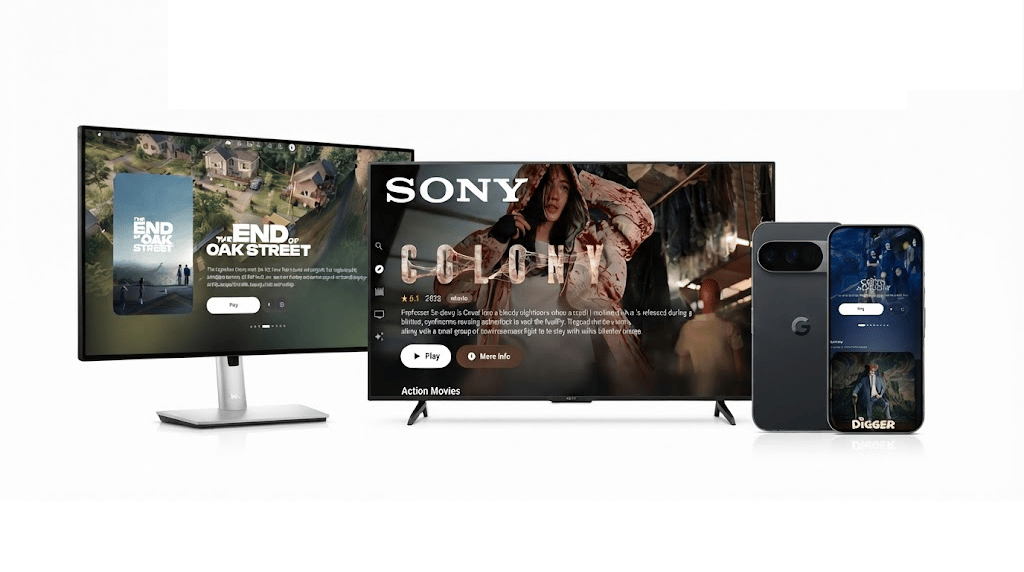
Vyla is a community-built media project created around a simple idea: people should have control over how they experience their media. We started Vyla because we wanted something clean, private, and easy to use without relying on a single company or centralized service. What began as a small project has grown into a collection of applications and tools for desktop, Android, Android TV, and more. Vyla is not a streaming service, and we do not host or provide the media itself. Instead, we build the software that brings the experience together while leaving control in the hands of the person using it.Where we come from
Vyla started as a small web project focused on creating a better way to discover and watch movies and shows. Over time, it grew into a broader project with applications for different platforms alongside the tools that power them. We care about keeping Vyla open, accessible, and community-driven. Our project has also been shared by communities such as FMHY and r/Piracy, where people interested in alternative and self-hosted media solutions have discovered Vyla. We are proud to be part of a wider community of people who build, share, and explore alternatives to traditional media platforms.What we make
Vyla is made up of several projects designed for different ways of using the platform.Made for people, not platforms
We believe software should give people more control, not less. That means keeping Vyla local and self-hostable, avoiding unnecessary centralized dependencies, and allowing developers and users to decide how they want to use the project. Vyla can be as simple as a TV or mobile app, a desktop application, or the foundation for a completely custom media experience. You decide how much of Vyla you use and where it runs.Start exploring
- On desktop? See Vyla Home.
- On Android? See Vyla Go.
- Using Android TV? See Vyla TV.
- Building something with Vyla? Start with the SDK quickstart.
- Building your own client? See the Stream API.
- Want to understand how everything fits together? Visit Our Architecture.
Vyla is self-hosted software and does not host or distribute media. Please respect applicable laws, upstream terms, and rights-holder requests. See the DMCA policy for removal information.